• You must be logged in to see or use the Shoutbox. Besides, if you haven't registered, you really should. It's quick and it will make your life a little better. Trust me. So just register and make yourself at home with like-minded individuals who share either your morbid curiousity or sense of gallows humor.

Old Man Metal

Veteran Member
Bold Member!
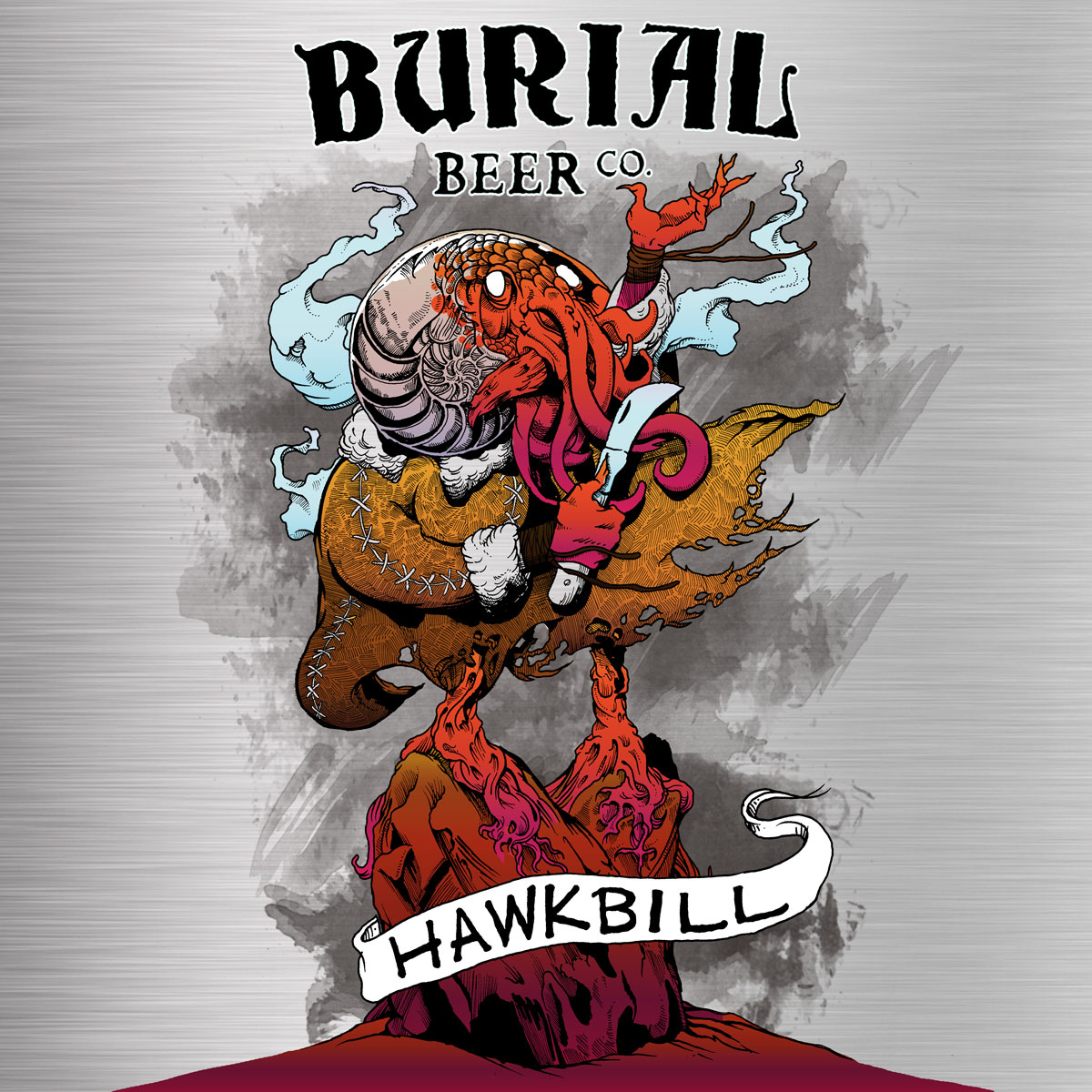
Join Pulpit of Doom and Screamin Demon host Old Man Metal on the seventh episode of his solo podcast as he introduces the new Hot Sauce of the Month feature and checks out Exhorresco Hot Sauce, plus the new black metal track Nephilim by My Grief and Ol'Cracker. Featuring Hellstar Dark Lager from Burial Beer Co.


Links:

Theme music: Through The Electric Mist by AJ Nemesis
Used with permission.
Twitter: @nemesis_aj
Nephilim - My Grief & Ol'Cracker:


Ol'Cracker:

My Grief:


MilkDrop visualizer:

Explosion by Iwiploppenisse
Used under Creative Commons Licence CC BY 3.0

Rat Salad Review Network logo impact sound by draganov89
Used under Attribution Licence

"Medieval labaratory in Cluj Napoca Pharmaceutical museum"
Photograph by Rokaso
Used under Creative Commons Attribution-SA 4.0 International license


David Paul Seymour interview:

BJCP Guidelines: Munich Dunkel Lager:

Heat Hot Sauce Shop:

7-Pot Primo at pepperscale.com:


This podcast was produced with the following open source software:

Graphic Image Manipulation Program
Audacity
OBS Studio

Video editing with Corel VideoStudio 2019


Gear List:
Lenovo Legion Y7000 Laptop (Intel® Core™ i7-8750H processor, NVIDIA® GeForce GTX 1060 graphics)
Amazon product ASIN B07J26L99L
Panasonic Lumix FZ-1000 camera (main video and still photography)
Amazon product ASIN B00KOUIBZW
Manfrotto 244 Variable Friction Magic Arm with Camera Bracket and Manfrotto 035RL Super Clamp (main camera mount)
Amazon product ASIN B000J4FONUAmazon product ASIN B0018LQVIA
Røde Lavalier Omnidirectional Microphone
Amazon product ASIN B003Z8OUUA
Fomito Falconeyes RX-8T Foldable Roll-Flex LED Light (key light)
Amazon product ASIN B07Q8QRHZQ
Neewer 160 LED CN-160 Panel Light (fill light)
Amazon product ASIN B004TJ6JH6
AtomCUBE RX1 RGBCW Pocket Video Light (green screen fill light)
Amazon product ASIN B07T82T83R
Phocus 4-Section Light Stands
https://www.amazon.com/gp/product/B07KG61281/dredem-20

Tarion U-Shape Swivel/Tilt Umbrella/Light Mount
https://www.amazon.com/gp/product/B01FJORQ44/dredem-20

Neewer 33" White Translucent Soft Umbrella
https://www.amazon.com/gp/product/B01HTDGWYI/dredem-20

Neewer 43-inchCollapsible Multi-Disc Light Reflector (green screen fill)
https://www.amazon.com/dp/B002ZIMEMW/dredem-20

Valera Explorer 90 Inch Portable Green Screen
https://www.amazon.com/gp/product/B07KYQRZC7/dredem-20

AKG K240 Studio headphones
https://www.amazon.com/AKG-K240STUDIO-Semi-Open-Studio-Headphones/dp/B0001ARCFA/dredem-20


This podcast was written and produced by Old Man Metal.

Follow me on Twitter: @OldManMetalOG https://twitter.com/OldManMetalOG
http://oldmanmetal.com
Support my content: https://PayPal.Me/OldManMetal

(c) 2020 Old Man Metal

\m/
 

Attachments

  • ommm_ep7_thumb_final_tw.webp
    ommm_ep7_thumb_final_tw.webp
    57.5 KB · Views: 2,894
That sh*t, is Creeping into your gut and leaving holes and then some --- O my god I can not believe the stuff you ingest, to get warm fuzzy feeling .... Old man -- just watching, makes me wanna go run naked in the ice storm Do flames shoot out your rear? i am laughing as typing ---even giggling way after i wrote this So Sorry
 
Last edited:
Finally got the copyright claim removed from this one. Now just 950 more subscribers and a shit-ton more view time and I can start making money off of it!

Seriously, if you're not subscribed to me on youtube, go do it now. Help a brother out. You don't even have to turn on notifications, it's charity for god's sake!
 
Finally got the copyright claim removed from this one. Now just 950 more subscribers and a shit-ton more view time and I can start making money off of it!

Seriously, if you're not subscribed to me on youtube, go do it now. Help a brother out. You don't even have to turn on notifications, it's charity for god's sake!
A link would be nice.
 
How long have you been doing this? I'd love to talk to you sometime about getting started filming and editing, i got myself an 18" neewer ring light, 4 backdrops and a holder for them, a lapel mic, a studio Mic with the whole stabilizer and screen setup, and I'm going to start filming after my move. In the meantime I'm going cross eyed watching other videos on filming and editing but don't understand some of the terminology, so i thought maybe i should take some courses at a film school or community college, but then my concern is wasting timeand possibly money having to also learn a bunch of irrelevant shit, like how to capture moving shots or film outdoors etc. I'm smart and a quick learner but i get stoned and overthink the whole thing.
I'll be filming on my android, an lg V40 ThinQ. It's got 3 cameras on it! According to my research so far, it sounds like either in shot or... Kinemaster? were the easiest to use but I'm thinking maybe I'll try the free version of whatever until i know if i like it.
Sorry for all the questions and i understand if you have a million better things to do besides give a (cute) stranger advice, but you inspire me!
 
Outstanding editing!!
But put any money you make on the youtube site towards a ransom for your eyebrows--they always look like they are trying to desperately escape your head whenever you taste one of those pepper sauces!!!
Amnesty International should get involved for this torture you force them to endure!
 
How long have you been doing this? I'd love to talk to you sometime about getting started filming and editing, i got myself an 18" neewer ring light, 4 backdrops and a holder for them, a lapel mic, a studio Mic with the whole stabilizer and screen setup, and I'm going to start filming after my move. In the meantime I'm going cross eyed watching other videos on filming and editing but don't understand some of the terminology, so i thought maybe i should take some courses at a film school or community college, but then my concern is wasting timeand possibly money having to also learn a bunch of irrelevant shit, like how to capture moving shots or film outdoors etc. I'm smart and a quick learner but i get stoned and overthink the whole thing.
I'll be filming on my android, an lg V40 ThinQ. It's got 3 cameras on it! According to my research so far, it sounds like either in shot or... Kinemaster? were the easiest to use but I'm thinking maybe I'll try the free version of whatever until i know if i like it.
Sorry for all the questions and i understand if you have a million better things to do besides give a (cute) stranger advice, but you inspire me!

I didn't know the first thing about shooting or editing video, or recording sound or audio, or lighting, or any of the gear required, at this time last year. The only thing that I had to do on Pulpit of Doom was plug in a USB mic, fire up Discord, and run my yap. I started the solo podcast so I'd have to learn to do everything. So I'm less than a year in.

I've not taken any classes, just watched a lot of youtube videos and put in a lot of hands-on time. You can learn anything you need to know for free, and you can get a lot of the software that you need for free too, and you can get good video editing software for not that much. You don't have to have the best gear to get a good result, either; a lot of it is about proper setup (lighting, audio and camera settings are all key) and attention to detail in post (post-production, aka editing hahaha).

Recording video to edit and shooting live-stream are two completely beasts, and require different software (if you want to do things efficiently) and sometimes different equipment and setups. A lot of people do a combination, using broadcasting software like OBS Studio to record (which lets you do a lot of complex stuff on-the-fly, like all the transitions and cuts and media embeds that you see on, say, a news broadcast) and then editing what they've recorded using traditional video editing software.

So, "what are you trying to do?" is the question.

Regardless of the answer, this video helped me A LOT when I got in my new workspace and had room to set up proper lighting. It also helped me get much better video, because for a good while I was recording with my camera set in auto mode, when I should have had the f-stop and ISO turned way down from where they were.


Also, regardless of the answer, good-sounding audio is WAY more important than most people think, and that takes the right gear for the environment, probably changes to the environment too. My first studio was a walk-in closet in an apartment; I had to hang heavy blankets on the walls and the back of the door to eliminate all the reverb to get good-sounding audio. Where I am working now, I can't "dry" the room up enough, so I had to put away my broadcast mic and go with a lav mic that picks up way less reverb from the room.

That said, if you record separate audio (which is what I did in my first studio), or if you have to put together a show intro audio segment, or edit show music, or something like that, you're going to need an audio editor, and Audacity is free and it is probably all you need:


And if you have different bits of audio that don't match up volume-wise, this thing is a drag-and-drop audio post miracle-worker, and it's free:


My brother is an audio engineer with a fucking Grammy under his belt, and he said audio that I tweaked with The Levelator "sounded really good".

And since OBS Studio is free and everyone uses it for streaming, and even if you don't stream, it's a great tool to know how to use (I used it for the visualizer "music videos" in Episode 5), and these are excellent tutorials:


Beyond that, happy to answer any specific questions, if I can. Still an amateur.
 
I didn't know the first thing about shooting or editing video, or recording sound or audio, or lighting, or any of the gear required, at this time last year. The only thing that I had to do on Pulpit of Doom was plug in a USB mic, fire up Discord, and run my yap. I started the solo podcast so I'd have to learn to do everything. So I'm less than a year in.

I've not taken any classes, just watched a lot of youtube videos and put in a lot of hands-on time. You can learn anything you need to know for free, and you can get a lot of the software that you need for free too, and you can get good video editing software for not that much. You don't have to have the best gear to get a good result, either; a lot of it is about proper setup (lighting, audio and camera settings are all key) and attention to detail in post (post-production, aka editing hahaha).

Recording video to edit and shooting live-stream are two completely beasts, and require different software (if you want to do things efficiently) and sometimes different equipment and setups. A lot of people do a combination, using broadcasting software like OBS Studio to record (which lets you do a lot of complex stuff on-the-fly, like all the transitions and cuts and media embeds that you see on, say, a news broadcast) and then editing what they've recorded using traditional video editing software.

So, "what are you trying to do?" is the question.

Regardless of the answer, this video helped me A LOT when I got in my new workspace and had room to set up proper lighting. It also helped me get much better video, because for a good while I was recording with my camera set in auto mode, when I should have had the f-stop and ISO turned way down from where they were.


Also, regardless of the answer, good-sounding audio is WAY more important than most people think, and that takes the right gear for the environment, probably changes to the environment too. My first studio was a walk-in closet in an apartment; I had to hang heavy blankets on the walls and the back of the door to eliminate all the reverb to get good-sounding audio. Where I am working now, I can't "dry" the room up enough, so I had to put away my broadcast mic and go with a lav mic that picks up way less reverb from the room.

That said, if you record separate audio (which is what I did in my first studio), or if you have to put together a show intro audio segment, or edit show music, or something like that, you're going to need an audio editor, and Audacity is free and it is probably all you need:


And if you have different bits of audio that don't match up volume-wise, this thing is a drag-and-drop audio post miracle-worker, and it's free:


My brother is an audio engineer with a fucking Grammy under his belt, and he said audio that I tweaked with The Levelator "sounded really good".

And since OBS Studio is free and everyone uses it for streaming, and even if you don't stream, it's a great tool to know how to use (I used it for the visualizer "music videos" in Episode 5), and these are excellent tutorials:


Beyond that, happy to answer any specific questions, if I can. Still an amateur.

You're an angel. Tysm!!!
 
How long have you been doing this? I'd love to talk to you sometime about getting started filming and editing, i got myself an 18" neewer ring light, 4 backdrops and a holder for them, a lapel mic, a studio Mic with the whole stabilizer and screen setup, and I'm going to start filming after my move. In the meantime I'm going cross eyed watching other videos on filming and editing but don't understand some of the terminology, so i thought maybe i should take some courses at a film school or community college, but then my concern is wasting timeand possibly money having to also learn a bunch of irrelevant shit, like how to capture moving shots or film outdoors etc. I'm smart and a quick learner but i get stoned and overthink the whole thing.
I'll be filming on my android, an lg V40 ThinQ. It's got 3 cameras on it! According to my research so far, it sounds like either in shot or... Kinemaster? were the easiest to use but I'm thinking maybe I'll try the free version of whatever until i know if i like it.
Sorry for all the questions and i understand if you have a million better things to do besides give a (cute) stranger advice, but you inspire me!
Thanks for the information!
 
I didn't know the first thing about shooting or editing video, or recording sound or audio, or lighting, or any of the gear required, at this time last year. The only thing that I had to do on Pulpit of Doom was plug in a USB mic, fire up Discord, and run my yap. I started the solo podcast so I'd have to learn to do everything. So I'm less than a year in.

I've not taken any classes, just watched a lot of youtube videos and put in a lot of hands-on time. You can learn anything you need to know for free, and you can get a lot of the software that you need for free too, and you can get good video editing software for not that much. You don't have to have the best gear to get a good result, either; a lot of it is about proper setup (lighting, audio and camera settings are all key) and attention to detail in post (post-production, aka editing hahaha).

Recording video to edit and shooting live-stream are two completely beasts, and require different software (if you want to do things efficiently) and sometimes different equipment and setups. A lot of people do a combination, using broadcasting software like OBS Studio to record (which lets you do a lot of complex stuff on-the-fly, like all the transitions and cuts and media embeds that you see on, say, a news broadcast) and then editing what they've recorded using traditional video editing software.

So, "what are you trying to do?" is the question.

Regardless of the answer, this video helped me A LOT when I got in my new workspace and had room to set up proper lighting. It also helped me get much better video, because for a good while I was recording with my camera set in auto mode, when I should have had the f-stop and ISO turned way down from where they were.


Also, regardless of the answer, good-sounding audio is WAY more important than most people think, and that takes the right gear for the environment, probably changes to the environment too. My first studio was a walk-in closet in an apartment; I had to hang heavy blankets on the walls and the back of the door to eliminate all the reverb to get good-sounding audio. Where I am working now, I can't "dry" the room up enough, so I had to put away my broadcast mic and go with a lav mic that picks up way less reverb from the room.

That said, if you record separate audio (which is what I did in my first studio), or if you have to put together a show intro audio segment, or edit show music, or something like that, you're going to need an audio editor, and Audacity is free and it is probably all you need:


And if you have different bits of audio that don't match up volume-wise, this thing is a drag-and-drop audio post miracle-worker, and it's free:


My brother is an audio engineer with a fucking Grammy under his belt, and he said audio that I tweaked with The Levelator "sounded really good".

And since OBS Studio is free and everyone uses it for streaming, and even if you don't stream, it's a great tool to know how to use (I used it for the visualizer "music videos" in Episode 5), and these are excellent tutorials:


Beyond that, happy to answer any specific questions, if I can. Still an amateur.


I've been diving into optimizing video quality on Kajabi, and I stumbled upon a fantastic resource that I believe can elevate our content creation game. Check out this comprehensive guide on the best professional video editing software: Movavi Learning Portal https://www.movavi.com/learning-portal/best-professional-video-editing-software.html. The guide covers key aspects like advanced editing features, ease of use, and affordability. It's been a game-changer for me in refining my Kajabi videos. From tweaking color grading to enhancing audio, the insights are invaluable. Remember, high-quality videos not only grab attention but also keep our audience engaged. Feel free to share your own tips and tricks or discuss your experiences with video editing on Kajabi. Let's collectively level up our video quality!

Great videos, I enjoyed watching them.
 
Back
Top